
A score means little until you know what your rivals score. Here is who belongs in the comparison, which numbers to compare, why each AI assistant needs its own look, and how big a gap has to be before you act.
A score of 40% means little until you know what your rivals score. Benchmarking competitors in AI answers means comparing your brand with others on the same prompts, the same AI assistants and the same period, so the gap you see is real and not an artifact of different conditions.
The short answer, and our suggestion: pick a small set of rivals that includes the brands buyers compare you with and the brands the answers keep naming, compare each AI assistant on its own, and act on gaps that hold across several weeks, not on one bad result.
What Does It Mean to Benchmark Competitors in AI Answers?
It means running the same prompts on the same AI assistants over the same period, then comparing four things across every brand in the set:
- How often each brand is named. The AI visibility score, the app's current name for Spotlit's headline number, measures this: out of every AI answer checked for your category, how many named you.
- Share of the mentions. Of all the brand mentions in those answers, how many went to each brand. This shows how crowded the answers are, not only whether you appear.
- Where a brand is named. Your place among the brands an answer names, with limits we cover below.
- Which sources are cited. The pages an AI assistant draws on before it answers. Knowing which sites feed the answers is part of the picture.
Together these give a comparison with some structure. A single score or a single rank gives you one number to worry about.
Who Belongs in Your Competitor Set?
Start with the brands buyers compare you with, then add any brand the answers keep naming, even if you would not have called it a rival. That is our suggestion, not a finding.
Spotlit helps you start. During setup it runs a live check against AI assistants and suggests the rivals they name in your market. You keep the ones that matter, remove the rest and add any that are missing. You can also add a competitor that no AI assistant has named yet, which is useful for watching a new entrant.
A September 2026 preprint by Edward Malthouse and colleagues (arXiv 2609.16304 (opens in a new tab)) points the same way. It tested six language models across five product categories and measured how often a brand is recommended against a competitive set defined independently of what the models output. Queries that named only a category showed substantial omission of established brands, and adding a buyer's goals and constraints changed which brands came back. The page gives no review venue. Our reading: define the set yourself, and benchmark on prompts that sound like your buyers, because the brands that appear depend on the prompt.
A few things to set up with care under Settings, Brands and competitors:
- Tracked names. An answer may use a shorter or longer form of a brand's name. If those forms are not tracked, a mention can go uncounted.
- Domains. List each competitor's domains, so their sites count as Competitor in the Citations tab.
- Brands you do not track still count. They stay in the totals, so a tracked brand's share can be smaller than the rank table alone suggests. If an untracked brand keeps appearing, add it so it shows in the tables.
As of 19 November 2026, the plans table lists no limit on how many competitors you track.
Which Numbers Should You Compare?
Start with the AI visibility score. It is the broadest signal: how often a brand is named at all. A large gap here is the first thing worth understanding. Our reading of the other three:
- Share of the mentions. Use it to see how crowded the answers are. The same score means something different where answers name eight brands than where they name two.
- Where a brand is named. Read it with care. It is a place in a list, and the list changes from run to run. Treat position as a direction and read it over many runs.
- Which sources are cited. The Citations tab sorts every cited site into a category, including your own site and your competitors' sites. If a competitor's pages are cited far more than yours, that tells you where to look.
Why Compare Each AI Assistant on Its Own?
Because different assistants can name different brands for the same question, so a result on one assistant says little about another.
A 2026 preprint by Dmitrij Żatuchin (arXiv 2606.23057 (opens in a new tab)) ran 250 questions across five industries, each five times, on GPT-5.2, Gemini 3 Flash and Perplexity's sonar-pro, with data collected in February and September 2026. For each question it took the brand each system named in most of its answers and checked how often two systems shared that top brand. GPT-5.2 and Gemini shared one on 74.0% of questions, Gemini and Perplexity on 64.0%, and GPT-5.2 and Perplexity on 63.6%. The author calls the study exploratory, says the figures describe these three systems and isolate no cause, and its arXiv page lists a journal reference without confirming peer review. It also found that for 204 of the 250 questions at least one brand appeared in 80% or more of the answers.
Spotlit keeps results for each assistant separate, so a result on one assistant is not averaged away by another. The Platforms tab shows the same comparison for one assistant at a time.
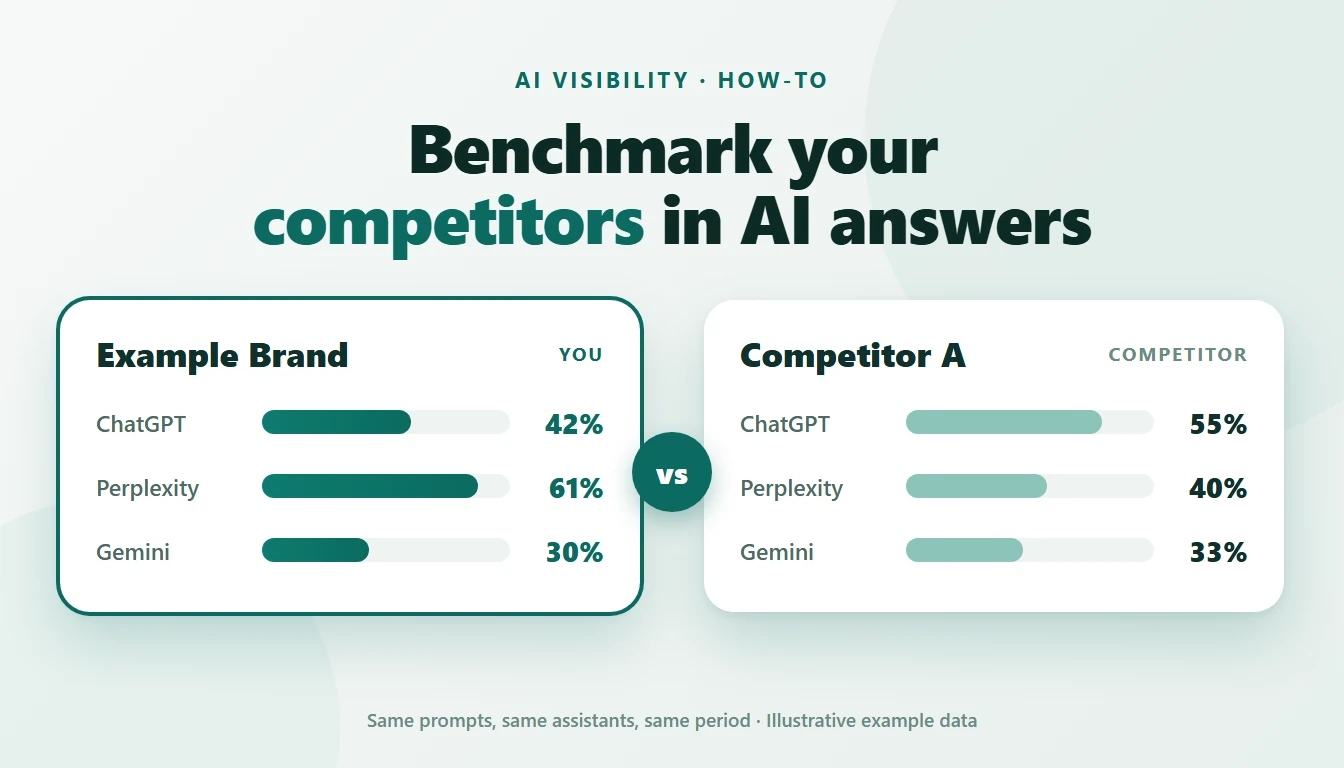
Here is what that looks like. The brands and figures in this table are invented to show the idea. They are not data, and not a benchmark of what is good. Each figure is the share of answers that name the brand.
| Brand | ChatGPT | Perplexity | Gemini |
|---|---|---|---|
| Example Brand | 42% | 61% | 30% |
| Competitor A | 55% | 40% | 33% |
| Competitor B | 38% | 44% | 52% |
| Competitor C | 20% | 12% | 25% |
Example Brand trails Competitor A on ChatGPT and leads on Perplexity. Competitor B is ahead on Gemini. A team that looked only at ChatGPT would miss both a real lead and a real gap.
How Do You Read a Gap?
Match the gap to one of four patterns, then open the answers behind it. Each pattern points somewhere in Spotlit:
- Behind on the AI visibility score. Open Answer Engine Insights and use Expand to see the full rank table. Then open Exclusion Analysis: the "Who won" card shows which competitors were named in the answers that left you out.
- Ahead on the score, but a small share of the mentions. The answers are crowded. You appear, but alongside many others. Check the full rank table, and whether a brand you do not track keeps appearing.
- Strong on one assistant, weak on another. Open the Platforms tab and compare assistant by assistant. The gap belongs to one assistant, not to your brand everywhere.
- Strong on one topic, weak on another. Topic Rankings breaks the numbers down by topic and by the prompts under it. It shows you which topic to look at first.
For any of these, the "What they read" card in Exclusion Analysis lists the domains cited in the answers that left you out. That is where to start on the source side.
How Big Does a Gap Have to Be Before You Act?
Our reading: bigger than a one-place move, holding across several weeks, and confirmed in the answers themselves. A gap that opens one week and closes the next is noise. A gap that holds for a month, on more than one assistant, and shows up in the captured answers is worth acting on. There is no universal threshold, and we are not suggesting one.
Two 2026 preprints help with the "several weeks" part. A repeated-query audit protocol by Dmitrij Żatuchin (arXiv 2609.04047 (opens in a new tab), revised 14 October 2026) found that measurements across 250 questions were reliable at five runs each, but that a comparison inside a single question had low power at five runs: in simulation, 0.15 to 0.19 for a large effect, rising to about 0.8 at 15 to 25 runs. A second paper by the same author (arXiv 2610.19608 (opens in a new tab), revised 15 November 2026) followed 12 brands across 54 buyer questions on one assistant, Gemini 3.1 Pro, for about seven weeks. Of the brand and question pairs that were always or never named in earlier answers, 94.5% to 97.5% kept that pattern in each later wave. It covers one provider family, a fixed brand list and string matching, and neither paper has a stated review venue.
Our reading: a gap on one prompt, on one assistant, needs many runs before you trust it, while a gap across your whole prompt set that holds for weeks is more likely to be real.
The practical test is to open the answers behind the gap. If the same competitors appear again and again and the same sources are cited, the gap is telling you something specific.
Where Do You See This in Spotlit?
Start on Home, then go to Answer Engine Insights, Exclusion Analysis and the Brands and competitors settings.
On the Home page, the tile "Rank vs competitors" shows your place among the brands you track, as a number and a count. Beside the trend, a card headed "Ranked by AI visibility score, you against your competitors" shows five rows. A period selector at the top sets the window: Last 7 Days, Last 30 Days or Last 90 Days. From there:
- Answer Engine Insights has the rank table "Rank by AI visibility score", and Expand opens the full list.
- The Platforms tab shows the same comparison for one AI assistant at a time.
- Topic Rankings breaks the numbers down by topic and by prompt.
- The Citations tab ranks your brand by how often it is cited and sorts every cited site into a category.
- Exclusion Analysis shows, for answers that left you out, which competitors were named ("Who won") and which domains were cited ("What they read").
- Settings, Brands and competitors is where you manage the set.
The Competitor Benchmarking guide covers each of these in more detail.
What Should You Do This Week?
Check Home, the rank table, the Platforms tab and Exclusion Analysis, then fix your set. Our suggestion for a first pass:
- Open Home and check the "Rank vs competitors" tile and the ranking card. Set the period to Last 30 Days.
- Open Answer Engine Insights and use Expand to see the full rank table.
- Open the Platforms tab and check whether your place changes by assistant.
- Find the biggest gap. Open Exclusion Analysis and read "Who won" and "What they read".
- Check Settings, Brands and competitors. If a brand keeps appearing in answers and is not in your set, add it.
Repeat it for four weeks before you draw a conclusion. If you are still choosing what to track, our guide to choosing the prompts to track comes first, because every comparison depends on the prompts behind it.
FAQ
How many competitors should I track?
There is no fixed number. Our suggestion is to start with the brands buyers compare you with and the brands the answers keep naming, then add others as they appear. As of 19 November 2026, the plans table lists no limit on competitors, so the limit is your own attention.
Can I track a competitor AI has not named yet?
Yes. Spotlit lets you add a competitor that no AI assistant has named. Add its tracked names and domains, so that if it starts to appear, the mentions are counted from the start.
See a Comparison on Example Data
The numbers above are invented. To see what a comparison looks like on example data, browse the public sample report, which is labeled as illustrative and not a measurement of any real brand. To talk through your own competitor set, book a live demo: a 30-minute visibility review with one of our specialists.
- Who Owns the AI Recommendation? A Multi-Industry Empirical Map of Brand Category Ownership Across Large Language Models (opens in a new tab) Dmitrij Żatuchin, arXiv, 2026 · arxiv.org · a preprint; exploratory; three assistants, 250 questions
- Evaluating Brand Retrieval and Ranking in Large Language Model Recommendations (opens in a new tab) Malthouse and colleagues, arXiv, September 2026 · arxiv.org · a preprint; no review venue stated
- The Dice Roll Method: A Standardized Protocol for Repeated-Query Auditing of Large Language Model Brand Recommendations (opens in a new tab) Dmitrij Żatuchin, arXiv, 2026 · arxiv.org · a preprint; no review venue stated
- Forecasting Brand Mentions in LLM Answers: Frozen Predictions Evaluated from Hours to Weeks (opens in a new tab) Dmitrij Żatuchin, arXiv, 2026 · arxiv.org · a preprint; one assistant; a fixed brand list